
Anúncios
5G technology is transforming how we connect, communicate, and consume content. Unlocking its full potential requires understanding both the technical setup and practical applications that make this next-generation network truly revolutionary.


The rollout of 5G networks worldwide has sparked countless questions about activation, optimization, and accessibility. From device compatibility to carrier settings, users everywhere are searching for ways to liberate the full power of their 5G connections. This journey involves more than just having the latest smartphone—it requires knowledge about network bands, settings configurations, and real-world performance factors.
Whether you’re experiencing slower-than-expected speeds or struggling to activate 5G on your device, understanding the liberation process will empower you to maximize your mobile experience. Let’s explore everything you need to know about unleashing 5G capabilities on your devices. 🚀
Understanding What 5G Liberation Really Means
When we talk about “liberating” 5G, we’re referring to the process of fully activating, optimizing, and accessing fifth-generation wireless technology on your devices. This isn’t just about turning on a switch—it’s about ensuring your hardware, software, and carrier settings align perfectly to deliver the lightning-fast speeds and ultra-low latency that 5G promises.
Many users find themselves in situations where their 5G-capable phones don’t automatically connect to 5G networks. This can happen due to restricted carrier settings, outdated software, incorrect network preferences, or regional availability limitations. Liberation means breaking through these barriers systematically.
The concept also extends to understanding different 5G bands. Low-band 5G offers widespread coverage but moderate speed improvements, mid-band provides a balance between coverage and performance, and high-band (mmWave) delivers extraordinary speeds over shorter distances. Knowing which bands your device supports and which your carrier offers is essential for true 5G liberation.
Checking Your Device Compatibility for 5G Networks
Before attempting to liberate 5G on your device, verification of compatibility is crucial. Not all smartphones marketed as “5G-ready” support every 5G band or frequency. The United States, Europe, and Asia often use different spectrum allocations, which means a phone purchased in one region might not fully function in another.
Check your device specifications carefully. Look for terms like “sub-6 GHz support” or “mmWave compatibility.” Flagship devices from manufacturers like Samsung, Apple, Google, and OnePlus typically offer comprehensive 5G support, while budget models might only support specific bands.
Your device’s model number matters significantly. Different variants of the same phone model can have different radio configurations. For example, an iPhone 13 purchased in the US might have mmWave support, while the same model sold in Europe might not. Always verify the exact model number against official specifications.
Essential Settings to Activate 5G Connection
Once compatibility is confirmed, accessing the right settings becomes your next priority. On most Android devices, navigate to Settings > Network & Internet > Mobile Network > Preferred Network Type. Here, you should see options including 5G, LTE, or combinations thereof. Select the option that includes 5G for your carrier.
iPhone users should go to Settings > Cellular > Cellular Data Options > Voice & Data. You’ll find options like “5G On,” “5G Auto,” and “LTE.” The “5G On” option uses 5G whenever available, while “5G Auto” balances speed with battery life by intelligently switching between 5G and LTE.
Some carriers require additional configuration through carrier settings updates. These updates happen automatically when connected to Wi-Fi, but you can manually check by going to Settings > General > About on iPhone, or by contacting your carrier for Android-specific instructions.
Troubleshooting Common 5G Activation Issues
Even with compatible hardware and correct settings, 5G might not activate immediately. Network congestion, tower proximity, and physical obstructions all affect connectivity. If your device shows “5G” but performance seems unchanged, you might be connected to low-band 5G, which offers only marginal improvements over advanced LTE.
Airplane mode cycling often resolves connection issues. Enable airplane mode for 30 seconds, then disable it. This forces your device to reconnect to the network and may establish a stronger 5G connection. If problems persist, restart your device completely to refresh all network services.
SIM card issues can also prevent 5G activation. Older SIM cards might not support 5G protocols, requiring replacement from your carrier. Many providers offer free 5G-compatible SIM cards—simply visit a store or request one through customer service channels.

Carrier-Specific Requirements and Limitations
Different carriers impose varying requirements for 5G access. Some require specific plan upgrades, while others automatically include 5G with existing unlimited plans. Verizon, AT&T, and T-Mobile each have unique 5G activation protocols and coverage maps that determine where services are available.
T-Mobile’s 5G network emphasizes widespread mid-band coverage with their 2.5 GHz spectrum, offering a balanced approach. Verizon pioneered mmWave deployments in urban centers, delivering exceptional speeds in limited areas. AT&T combines multiple strategies with low-band, mid-band, and mmWave deployments across different markets.
International travelers should note that 5G roaming support varies dramatically. Your domestic 5G plan might not include 5G access abroad, reverting to LTE when traveling. Check with your carrier about international 5G policies before departure to avoid surprises.
Optimizing Your 5G Experience for Maximum Performance
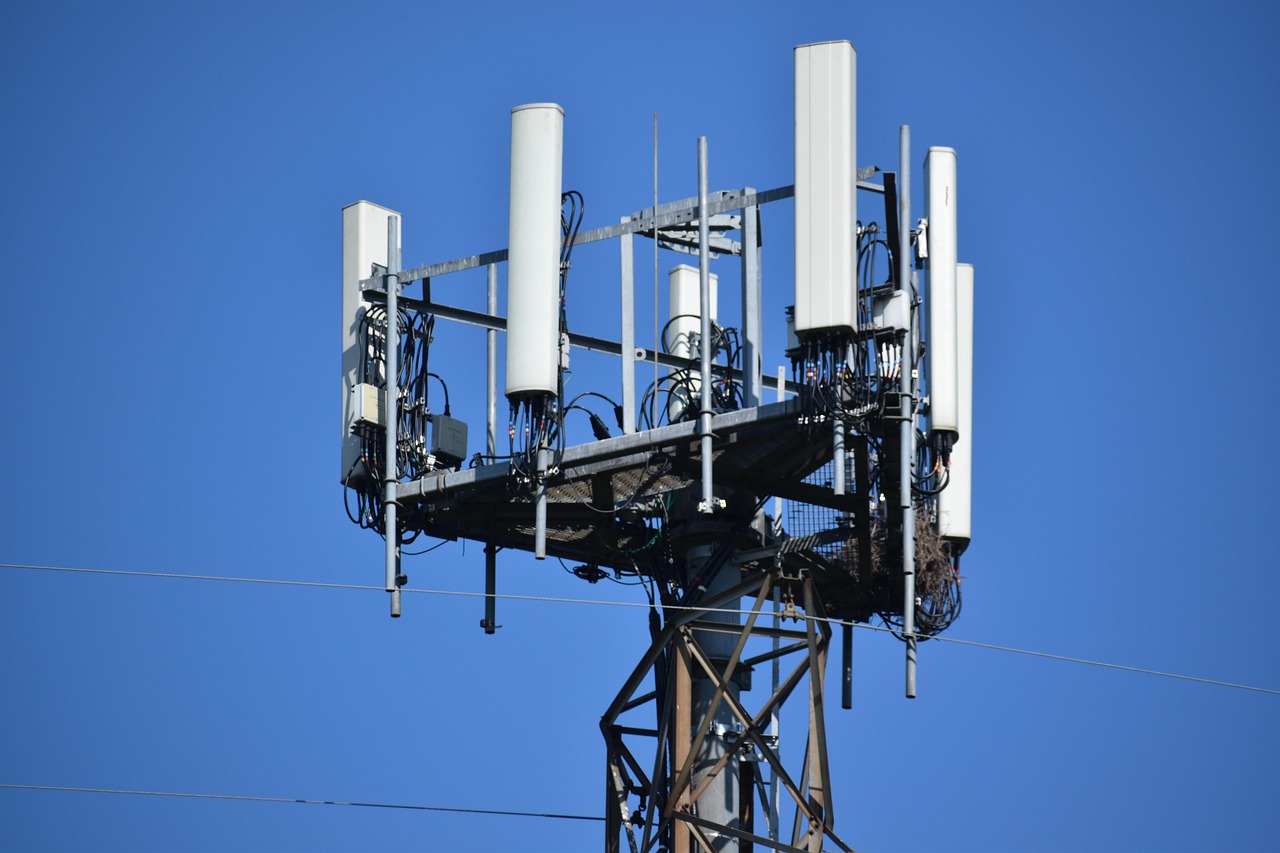
Simply connecting to 5G doesn’t guarantee optimal performance. Location plays a massive role—being outdoors with clear line-of-sight to towers yields better results than indoor connections, especially with mmWave frequencies that struggle to penetrate buildings and windows.
Battery management becomes more important with 5G. The technology consumes more power than LTE, particularly when using mmWave bands. Consider using “5G Auto” modes that intelligently switch networks based on activity, or manually switch to LTE when maximum speed isn’t necessary to extend battery life.
Network testing apps help you understand real-world performance. Applications like Speedtest, OpenSignal, and specialized 5G monitoring tools provide detailed information about connection quality, band identification, and comparative performance against other users in your area. Regular testing helps identify optimal locations and times for 5G usage. 📊
The Role of Software Updates in 5G Performance
Manufacturers continuously refine 5G performance through software updates. These updates optimize modem behavior, improve battery efficiency, and enhance compatibility with evolving network infrastructure. Keeping your device updated ensures you benefit from these improvements.
Carrier bundle updates work alongside system updates to fine-tune network behavior. These smaller updates adjust how your device communicates with specific carrier infrastructure, often resolving connectivity issues or enabling newly deployed frequency bands.
Beta programs from manufacturers sometimes offer early access to 5G improvements. While these come with stability risks, they can provide significant performance enhancements for users in areas with mature 5G deployments willing to experiment with cutting-edge software.
Regional Variations in 5G Availability and Access
5G deployment follows vastly different timelines across regions. Major metropolitan areas in developed countries enjoy extensive coverage, while rural regions and developing nations face significant delays. Understanding your local deployment status sets realistic expectations for liberation efforts.
Urban centers typically receive priority for high-band mmWave installations due to population density and return on investment. These deployments offer incredible speeds but extremely limited range, often covering only a few city blocks. Mid-band deployments expand outward more gradually, balancing coverage with performance.
Rural 5G deployment relies primarily on low-band frequencies that reuse existing LTE tower infrastructure. While this enables rapid coverage expansion, speed improvements remain modest compared to urban implementations. Patience becomes essential as carriers methodically expand their networks.
Understanding 5G Bands and Frequencies
5G operates across three primary frequency ranges, each with distinct characteristics. Low-band (600-900 MHz) travels far and penetrates buildings well but offers speeds only marginally better than advanced LTE. This band forms the foundation of widespread 5G coverage.
Mid-band (2.5-3.7 GHz) represents the sweet spot for most users. It delivers substantial speed improvements over LTE while maintaining reasonable coverage areas. The C-band spectrum recently auctioned in many countries falls into this category, promising significant performance enhancements as deployments expand.
High-band mmWave (24-47 GHz) provides extraordinary speeds exceeding 1 Gbps but covers tiny areas and struggles with any obstruction. These deployments concentrate in stadiums, airports, and downtown business districts where density justifies infrastructure costs. 📡
Security Considerations When Activating 5G Services
5G networks introduce new security architectures that generally improve upon 4G LTE. However, the liberation process requires awareness of potential vulnerabilities. Fake 5G networks, though rare, can mimic legitimate connections to intercept data, making VPN usage advisable for sensitive activities.
Authentication protocols in 5G have strengthened significantly, but user vigilance remains important. Avoid modifying advanced network settings through unofficial tools or root access methods that might compromise device security. Stick to official carrier and manufacturer channels for configuration changes.
Privacy settings deserve attention when activating 5G. Some carriers collect detailed usage data enabled by 5G’s enhanced capabilities. Review privacy policies and opt-out options to understand what information gets shared and how to limit data collection if desired.
Future-Proofing Your 5G Investment
As 5G technology matures, networks will undergo continuous evolution. Standalone (SA) 5G architectures that don’t rely on LTE cores are gradually replacing initial Non-Standalone (NSA) deployments. Devices supporting SA 5G will benefit from lower latency and enhanced features as networks upgrade.
Investing in devices with comprehensive band support ensures longevity. As carriers activate new spectrum allocations, phones supporting wider frequency ranges maintain compatibility without requiring upgrades. Flagship devices typically offer broader band support than budget alternatives.
The transition toward 5G Advanced and eventual 6G research means today’s 5G devices will remain relevant for years. However, understanding that early 5G phones might lack features implemented in later generations helps set appropriate upgrade timelines based on individual needs and usage patterns. 🔮
Maximizing Value from Your 5G Connection
Once successfully liberated, 5G enables transformative use cases beyond simple speed tests. Cloud gaming services like Xbox Cloud Gaming, GeForce Now, and PlayStation Remote Play benefit dramatically from 5G’s low latency and high bandwidth, delivering console-quality experiences on mobile devices.
High-resolution video streaming reaches new heights with 5G. Services offering 4K and even 8K content become practical for mobile viewing without buffering concerns. However, be mindful of data consumption—streaming at maximum quality can exhaust data allowances quickly without unlimited plans.
Augmented reality applications represent perhaps the most exciting 5G use case. AR experiences requiring real-time cloud processing and minimal lag become seamless over 5G, enabling everything from advanced navigation to interactive shopping experiences that weren’t practical with previous network generations.
Practical Applications Beyond Entertainment
Professional applications benefit tremendously from 5G liberation. Remote workers can participate in high-quality video conferences without Wi-Fi dependence, upload large files instantly, and access cloud resources with desktop-like responsiveness. This flexibility transforms mobile devices into genuine productivity tools.
Healthcare applications are emerging that leverage 5G capabilities for remote monitoring and telemedicine. While still developing, these services promise to improve access to medical expertise, particularly in underserved areas where 5G reaches before comprehensive healthcare infrastructure.
Smart home control becomes more responsive and reliable when managed over 5G connections. While home Wi-Fi remains primary for most users, 5G provides backup connectivity ensuring continuous operation even during home network outages, adding resilience to connected home ecosystems. 🏠
Balancing 5G Benefits Against Practical Considerations
While 5G offers impressive capabilities, realistic assessment of actual benefits helps make informed decisions. For many typical smartphone activities—social media browsing, messaging, standard video streaming—LTE provides perfectly adequate performance. 5G shines primarily for bandwidth-intensive or latency-sensitive applications.
Cost considerations matter when evaluating 5G liberation. Some carriers charge premiums for 5G access or require expensive unlimited plans. Calculate whether your usage patterns justify these costs compared to adequate LTE service that might meet your needs at lower expense.
Environmental factors influence daily 5G experience significantly. If you spend most time in areas with limited 5G coverage, investing heavily in 5G-specific plans or devices might not provide proportional benefits. Coverage maps and real-world testing help assess actual availability in your frequent locations.
Taking Action to Liberate Your 5G Connection Today
Armed with comprehensive understanding of 5G liberation, taking action becomes straightforward. Begin by verifying your device compatibility through manufacturer specifications, then confirm your carrier plan includes 5G access. Navigate to network settings and select 5G-enabled options appropriate for your device and carrier.
Test your connection in multiple locations to understand coverage patterns in areas you frequent. Document speeds and connectivity quality to establish baselines for future comparison. If performance disappoints, methodically work through troubleshooting steps including SIM replacement, software updates, and carrier consultation.
Remember that 5G deployment remains ongoing. Areas with limited service today will likely see improvements as carriers expand infrastructure. Periodic retesting and staying informed about local network developments ensure you benefit from enhancements as they arrive. The journey toward fully realized 5G potential continues for everyone—liberation is both an achievement and an ongoing process of optimization. ✨
