
Anúncios
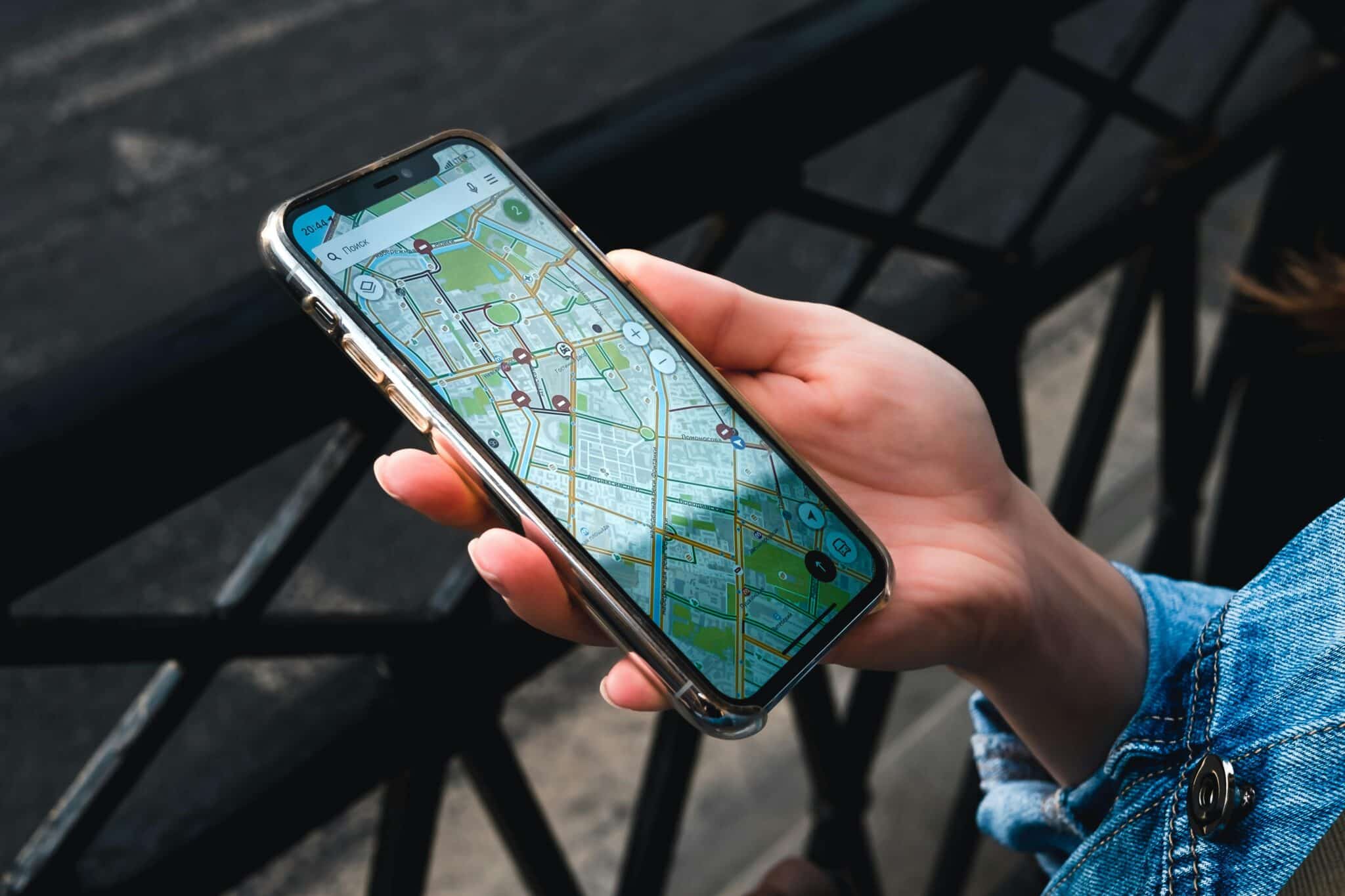
Navigation has evolved dramatically with GPS and map applications, transforming how we explore cities, plan trips, and discover new places effortlessly.


Remember the days of unfolding paper maps in your car, trying to decipher complicated street grids while simultaneously driving? Those times feel almost prehistoric now. Modern GPS and map applications have revolutionized our relationship with navigation, turning our smartphones into powerful guidance systems that fit comfortably in our pockets.
These applications have become indispensable companions for daily commutes, adventurous road trips, and exploring unfamiliar territories. They offer real-time traffic updates, alternative routes, point-of-interest recommendations, and even augmented reality features that overlay directions onto your camera view. Let’s explore how these technological marvels work and why they’ve become essential tools for millions worldwide.
📍 How GPS Map Applications Actually Work
GPS technology relies on a constellation of satellites orbiting Earth, continuously transmitting signals that your smartphone receives. Your device calculates its precise location by measuring the time it takes for signals from multiple satellites to reach it. This triangulation process happens in milliseconds, providing accuracy within just a few meters.
Modern map applications combine this GPS data with sophisticated mapping databases that contain detailed information about roads, buildings, businesses, and geographical features. Companies invest heavily in keeping these databases current, using a combination of satellite imagery, street-level photography, and crowdsourced updates from users.
The magic happens when algorithms process your current location, destination, and real-time data about traffic conditions, road closures, and construction zones. Within seconds, the application calculates optimal routes, estimates arrival times, and provides turn-by-turn directions with voice guidance.
🚗 Essential Features That Make Navigation Effortless
Today’s GPS applications offer far more than basic directions. Real-time traffic monitoring analyzes data from millions of users to identify congestion, accidents, and slowdowns. The app automatically suggests faster alternatives, potentially saving you significant time during rush hour.
Offline maps have become increasingly important, especially for international travelers or those venturing into areas with limited cellular coverage. You can download entire regions beforehand, ensuring navigation capability even without an internet connection. This feature proves invaluable during camping trips, rural explorations, or traveling abroad without data roaming.
Voice-guided navigation keeps your eyes on the road while providing clear, timely instructions. Advanced systems now offer natural-sounding voices in multiple languages and can even announce street names with proper pronunciation. Some applications integrate with your car’s audio system via Bluetooth for seamless listening.
Street View functionality lets you virtually explore destinations before arriving, helping you identify landmarks, assess parking situations, or simply satisfy your curiosity about unfamiliar places. This feature proves particularly useful when searching for specific storefronts or entrances in busy urban areas.
🌍 Beyond Basic Directions: Discovery and Exploration
Modern map applications have evolved into comprehensive discovery platforms. They help you find restaurants, gas stations, hotels, ATMs, and countless other points of interest near your current location or destination. User reviews and ratings provide valuable insights before you commit to visiting a particular establishment.
Integration with public transportation systems offers multimodal routing that combines walking, bus, subway, and train options. Real-time schedules show when the next bus arrives, how crowded trains are, and whether delays affect your planned route. This functionality transforms urban navigation for commuters and tourists alike.
Some applications now incorporate augmented reality features that overlay directional arrows onto your camera view when you’re walking. This technology proves especially helpful in complex urban environments where traditional map views can become confusing among tall buildings and winding streets.

💡 Smart Features That Save Time and Hassle
Saved locations allow you to bookmark important addresses like home, work, favorite restaurants, or friends’ houses for instant access. Many applications learn your routines and proactively suggest departure times based on current traffic conditions to ensure punctual arrivals.
Sharing your location with family or friends provides peace of mind and coordination benefits. Parents can monitor teenage drivers, groups can coordinate meetups in crowded venues, and solo travelers can share their whereabouts with loved ones for safety purposes.
Speed limit displays and speed camera warnings help you stay within legal limits and avoid costly tickets. While availability varies by region, these features have become increasingly accurate and comprehensive over time.
Battery optimization features help conserve power during extended navigation sessions. Applications can reduce screen brightness, limit background processes, and adjust GPS polling frequencies to extend device battery life without sacrificing navigation accuracy.
🎯 Choosing the Right GPS Application for Your Needs
Different applications excel in different areas, so your ideal choice depends on specific priorities. Some prioritize the most accurate real-time traffic data, while others focus on comprehensive offline capabilities or detailed public transportation information.
Interface design matters significantly when you’re glancing at directions while driving or walking. Clean, uncluttered displays with large, readable fonts and intuitive controls enhance safety and usability. Test several applications to find one that feels natural for your usage patterns.
Data consumption becomes important if you have limited cellular plans. Some applications use significantly more data than others, particularly when downloading map updates or streaming real-time traffic information. Offline map capabilities can dramatically reduce data usage.
Privacy considerations deserve attention since GPS applications track your location history extensively. Review privacy settings carefully, understand what data is collected, and determine whether you’re comfortable with those practices. Most applications offer options to delete location history or limit data collection.
🛣️ Advanced Tips for Power Users
Customizing route preferences allows you to avoid tolls, highways, or ferries according to your preferences. Some applications let you specify preferred roads or areas to avoid entirely, which proves useful if you know your local area well and have strong preferences about routing.
Multiple destination routing helps when you need to make several stops during a single trip. The application optimizes the sequence to minimize total driving time and distance, which delivery drivers, sales professionals, and errand-runners find particularly valuable.
Calendar integration automatically adds addresses from calendar events, allowing one-tap navigation to appointments. The system can even send departure reminders based on current traffic conditions to ensure on-time arrivals.
Contribute to the community by reporting accidents, road hazards, speed traps, or incorrect map information. These crowdsourced updates help fellow users while improving the overall accuracy and usefulness of the mapping platform.
🌐 International Travel Made Simple
Downloading offline maps before international trips eliminates roaming charges while ensuring navigation capability in foreign countries. Most applications allow you to download entire countries or regions, which typically consume several hundred megabytes to a few gigabytes of storage.
Language support extends beyond interface translation to include local place names, street names, and points of interest in native languages. This feature proves invaluable when navigating countries that use non-Latin alphabets or when trying to communicate addresses to local taxi drivers.
Currency conversion and measurement unit options automatically adjust displayed information to your preferences, whether you prefer miles or kilometers, dollars or euros.
🚀 The Future of Navigation Technology
Artificial intelligence increasingly enhances GPS applications by predicting your destinations based on time, day, and historical patterns. Your phone might suggest leaving for the airport or remind you about weekly grocery shopping trips without any manual input.
Integration with autonomous vehicles represents the next frontier, where navigation applications become central to self-driving systems. These technologies require unprecedented accuracy, real-time updates, and comprehensive environmental mapping.
Indoor navigation capabilities are expanding, helping you find specific stores within massive shopping malls, locating gates at sprawling airports, or navigating complex hospital buildings. This technology relies on Wi-Fi positioning, Bluetooth beacons, and detailed indoor maps.
Environmental considerations are influencing routing algorithms, with some applications now offering eco-friendly route options that minimize fuel consumption and emissions, even if they take slightly longer than the absolute fastest route.
🔒 Privacy and Security Considerations
Location data represents sensitive personal information that reveals your daily routines, home address, workplace, and places you visit. Understanding how GPS applications collect, store, and share this data helps you make informed decisions about privacy settings.
Most applications allow you to periodically delete location history or disable tracking altogether, though this may limit certain features like personalized recommendations or traffic contribution. Review these settings regularly to ensure they align with your comfort level.
Sharing your real-time location should be done thoughtfully, particularly on social media or public platforms. Consider the security implications of broadcasting when you’re away from home or revealing patterns in your movements.
⚡ Maximizing Battery Life During Navigation
GPS navigation drains batteries quickly due to continuous screen usage, GPS signal processing, and data connections. Several strategies help extend battery life during extended trips without sacrificing navigation functionality.
Reducing screen brightness to the minimum readable level significantly decreases power consumption. Many applications offer automatic brightness adjustment based on ambient light conditions, which balances visibility with battery conservation.
Downloading offline maps eliminates the need for constant data connections, which consume substantial power. This approach proves doubly beneficial by reducing both battery drain and cellular data usage.
Using voice-guided navigation allows you to turn off the screen between turns, dramatically extending battery life on long trips. The application will wake the screen automatically when you approach important navigation points.
🎨 Personalization and Customization Options
Modern GPS applications offer extensive customization to match your preferences and needs. Map themes include options like satellite view, terrain display, or simplified navigation modes with minimal visual distractions.
Voice selection extends beyond language choice to include different accents, genders, and even celebrity voices in some applications. Finding a voice that sounds pleasant and clear to your ears enhances the overall navigation experience.
Widget customization on your home screen provides quick access to frequent destinations, recent searches, or real-time traffic information without opening the full application.
🤝 Community Features and Social Integration
Location sharing with specific contacts enables coordination without constant phone calls or text messages. Friends can see when you’re approaching a meeting point, family members can track each other during road trips, and groups can coordinate efficiently at concerts or festivals.
User-generated content includes reviews, photos, and tips about restaurants, attractions, and points of interest. This crowdsourced information often proves more current and relevant than official descriptions, helping you make better decisions about where to visit.
Group navigation features allow multiple people to share destination details and track progress toward common meeting points. This functionality simplifies coordination for caravans, road trips with multiple vehicles, or distributed teams meeting at a central location.
📱 Integration With Other Smart Devices
Smartwatch integration brings navigation directions to your wrist, allowing subtle vibrations for turn notifications without pulling out your phone. This proves particularly useful while cycling, walking in unfamiliar areas, or when phone access is inconvenient.
Vehicle integration through platforms like Android Auto or Apple CarPlay projects navigation interfaces onto your car’s dashboard display. These systems offer safer interaction methods through larger screens, steering wheel controls, and voice commands specifically designed for driving situations.
Smart home integration allows voice assistants to provide directions, send routes to your phone, or announce departure times based on your calendar and current traffic conditions. Simply asking your speaker for directions while getting ready eliminates fumbling with your phone.
✨ Making GPS Applications Work for Your Lifestyle
Whether you’re a daily commuter navigating rush hour traffic, an adventurer exploring remote trails, a business traveler coordinating complex itineraries, or simply someone who values never getting lost, GPS map applications have become indispensable tools for modern life.
The technology continues evolving rapidly, adding features that seemed like science fiction just years ago. From augmented reality navigation to predictive routing based on your habits, these applications grow smarter and more helpful with each update.
Taking time to explore advanced features, customize settings to your preferences, and understand privacy implications ensures you extract maximum value from these powerful tools. The difference between basic usage and power-user mastery can translate to hours saved, stress reduced, and discoveries made.
Start by downloading comprehensive offline maps for your region, customizing your home and work locations, and exploring alternative routing options. Experiment with different voice guidance settings, try augmented reality features if available, and contribute to the community by reporting hazards or updating business information.
Navigation technology has fundamentally changed how we interact with the physical world around us. What once required careful planning, printed directions, and inevitable wrong turns now happens seamlessly with a few taps on a screen. Embrace these tools, explore their capabilities, and enjoy the freedom that comes from knowing you can confidently navigate anywhere your adventures take you. 🗺️
