
Anúncios
Radio broadcasting remains one of the most beloved forms of entertainment and information, now easily accessible through your smartphone with FM and AM reception capabilities.


The evolution of mobile technology has transformed how we consume radio content. Gone are the days when you needed a dedicated radio device to catch your favorite shows, music, or news broadcasts. Today’s smartphones offer multiple ways to tune into both FM and AM frequencies, whether through built-in hardware or specialized applications that stream stations from around the world.
Understanding the different methods available for listening to radio on your mobile device can enhance your daily routine, from morning commutes to evening relaxation. This comprehensive guide explores everything you need to know about accessing radio stations on your smartphone, including technical requirements, app recommendations, and tips for optimal listening experiences.
📻 Understanding FM and AM Radio Technology on Mobile Devices
Most modern smartphones actually contain FM radio chips built directly into their hardware. These chips are typically integrated into the same component that handles Bluetooth and WiFi connectivity. However, many manufacturers disable this functionality through software, primarily because they prefer users to consume streaming content that requires data plans.
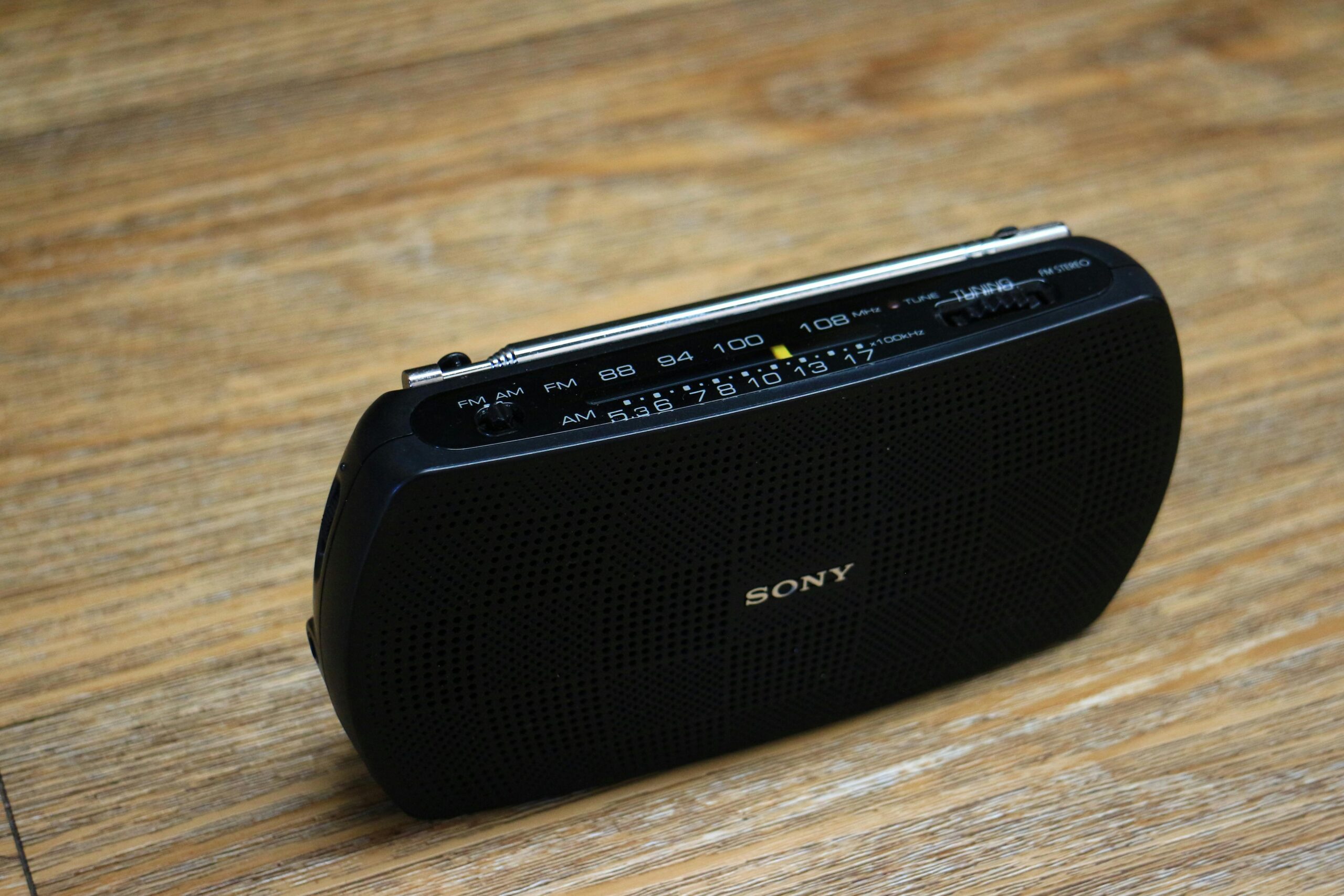
The difference between FM (Frequency Modulation) and AM (Amplitude Modulation) broadcasts affects audio quality significantly. FM stations offer superior sound quality with less interference, making them ideal for music programming. AM signals travel longer distances and penetrate buildings better, which is why news and talk radio often choose this format.
When your phone receives radio signals through its built-in chip, you’re accessing traditional over-the-air broadcasts without consuming mobile data. This feature becomes incredibly valuable during emergencies when cellular networks might be overloaded or unavailable, as radio stations can provide critical information and updates.
🎧 Native FM Radio Capabilities in Smartphones
To use the built-in FM radio chip in your phone, you’ll need wired headphones or earbuds. The headphone cable acts as an antenna, capturing radio signals and transmitting them to the receiver chip. Without this physical connection, the FM functionality typically won’t work, even if your phone supports it.
Several smartphone manufacturers have embraced FM radio functionality and include it as a standard feature. Brands like Motorola, LG, and some Samsung models offer pre-installed FM radio apps that activate the hardware chip. These native applications usually provide basic tuning capabilities, station presets, and sometimes RDS (Radio Data System) information displaying song titles and artist names.
Enabling FM radio on compatible devices is straightforward. Simply plug in your headphones, open the FM radio app, and scan for available stations. The app will detect all receivable frequencies in your area and allow you to save your favorites for quick access. Signal strength depends on your location, surrounding buildings, and weather conditions.
📱 Best Apps for Streaming Radio Stations
For devices without built-in FM chips or when you want access to stations beyond your local area, streaming apps provide unlimited options. These applications use your internet connection to deliver radio content from stations worldwide, offering both live broadcasts and on-demand programming.
Popular radio streaming apps like TuneIn Radio, iHeartRadio, and Radio.com aggregate thousands of stations across multiple genres and locations. These platforms offer advanced features including personalized recommendations, podcast integration, alarm clock functionality, and the ability to pause and rewind live radio—something impossible with traditional broadcasts.

Specialized apps cater to specific interests and regions. Sports fans can find apps dedicated exclusively to sports talk radio, while music enthusiasts might prefer genre-specific platforms. Regional apps focus on local broadcasting, providing community news, weather updates, and hometown programming that connects listeners with their immediate surroundings.
🌐 Internet Radio vs. Traditional Broadcasting
Internet radio streaming differs fundamentally from traditional FM and AM broadcasting. While conventional radio uses electromagnetic waves transmitted through the air, internet radio converts audio into digital data packets sent through cellular networks or WiFi connections. This distinction affects everything from audio quality to accessibility and data consumption.
The primary advantage of internet radio lies in its unlimited geographical reach. You can listen to a station from Tokyo while sitting in New York, or catch your hometown station while traveling abroad. Sound quality remains consistent regardless of distance, unlike traditional radio where signal degradation increases with range.
However, streaming radio requires active internet connectivity and consumes mobile data when you’re away from WiFi. An hour of streaming at standard quality typically uses between 50-100 MB of data, while high-quality streams can consume up to 150 MB per hour. Traditional FM radio uses zero data, making it ideal for users with limited data plans or in areas with poor cellular coverage.
⚡ Activating Hidden FM Radio Features
Many Android devices ship with disabled FM radio chips that can be activated through third-party applications. Apps like NextRadio (now discontinued but still functional on older devices) and Spirit FM can sometimes unlock these dormant features, giving you access to free over-the-air broadcasts.
The process typically involves granting the app necessary permissions, connecting wired headphones, and allowing the software to communicate with the FM chip. Success rates vary by device manufacturer, Android version, and specific phone model. Some manufacturers lock down the FM functionality so completely that no third-party app can access it.
Before attempting to activate hidden FM features, research your specific phone model to determine if it contains an FM chip and whether users have successfully enabled it. Online forums, YouTube tutorials, and manufacturer specifications provide valuable information about compatibility and activation methods.
🎵 Audio Quality Considerations
Audio quality varies significantly between different radio reception methods. Traditional FM broadcasts deliver analog signals that can produce warm, natural sound when reception is strong. However, interference, weather conditions, and distance from transmitters can introduce static, hissing, or complete signal loss.
Internet radio streaming offers consistent digital audio quality that doesn’t deteriorate with distance from the source. Most streaming services provide multiple quality options, allowing users to balance sound fidelity with data consumption. Low-quality streams use less bandwidth but may sound tinny or compressed, while high-quality options rival CD audio but consume more data.
AM radio inherently produces lower audio quality than FM due to its transmission method, which limits frequency response and makes it more susceptible to electrical interference. Despite these limitations, AM’s superior range and building penetration make it invaluable for news, sports, and talk programming where voice clarity matters more than music fidelity.
🔋 Battery Life and Power Management
Using your phone’s FM radio chip consumes significantly less battery than streaming internet radio. The FM receiver operates at low power levels, and since it doesn’t require cellular or WiFi radios to remain active, your device can extend listening time considerably when using traditional broadcasts.
Streaming radio applications demand more energy because they keep your phone’s cellular or WiFi radio active continuously, process incoming data, decode audio streams, and power the app interface. Heavy users might notice their battery depleting 20-30% faster when streaming radio compared to using built-in FM functionality.
To maximize battery life while enjoying radio on your phone, consider lowering screen brightness while listening, closing unnecessary background apps, and using power-saving modes when available. Downloading favorite shows or programs for offline listening eliminates streaming overhead entirely, though this feature is only available through certain premium apps.
📡 Improving Signal Reception and Audio Quality
When using built-in FM radio, signal quality depends heavily on your headphone cable orientation and length. Try adjusting the cable position, extending it fully, or moving near windows where fewer obstacles block radio waves. Different headphone brands and cable lengths perform differently as antennas, so experimentation helps identify the best combination.
For streaming radio, connection stability matters more than signal strength. WiFi generally provides more reliable streaming than cellular data, especially in areas with inconsistent mobile coverage. When possible, download content while connected to WiFi and play it offline to avoid buffering interruptions.
Environmental factors affect both reception types. Steel-reinforced buildings, underground locations, and areas with significant electrical interference can disrupt FM signals. For internet radio, network congestion during peak hours might cause buffering or reduced audio quality as your connection competes with other users.
🌍 Exploring International Radio Content
One of streaming radio’s greatest advantages is instant access to international programming. Language learners can immerse themselves in foreign broadcasts, music enthusiasts can discover genres and artists from distant countries, and expatriates can maintain connections with their homelands through familiar stations.
Apps specializing in international content organize stations by country, language, and genre, making discovery intuitive and enjoyable. Many provide translations, program schedules, and cultural context that enriches the listening experience beyond simple audio delivery.
Time zone differences become irrelevant with on-demand programming and podcast features integrated into many radio apps. You can catch morning shows from other continents during your evening, or explore specialty programs that air when you’re typically asleep.
🚗 Radio Listening While Driving
Modern vehicles increasingly integrate smartphone connectivity through Android Auto and Apple CarPlay, allowing seamless radio app control through dashboard displays. These systems enable safe operation while driving, with voice commands and steering wheel controls minimizing distraction.
When using radio apps in vehicles without integrated smartphone systems, consider mounting your phone securely and setting up playlists or station presets before driving. Voice assistants like Google Assistant and Siri can launch radio apps and tune to specific stations through spoken commands, keeping your hands on the wheel.
Traditional FM radio remains king for in-car listening due to zero data usage, consistent local station availability, and integration with vehicle entertainment systems. However, streaming apps excel during long road trips through areas with changing local stations, allowing you to maintain preferred programming regardless of location.
💰 Free vs. Premium Radio Applications
Most radio streaming apps offer free versions supported by advertisements, with premium subscriptions removing commercials and adding enhanced features. Free tiers typically provide full access to station directories but interrupt programming with periodic ads that supplement or replace station advertising.
Premium subscriptions usually cost between $5-15 monthly and include benefits like unlimited skips, on-demand replays, offline downloads, higher audio quality options, and ad-free listening. For casual listeners who tune in occasionally, free versions suffice, while daily users often find premium features justify the expense.
Some apps employ hybrid models where certain stations or content remain free while exclusive programming requires subscription. Evaluate your listening habits, preferred stations, and tolerance for advertisements before committing to paid services, as many free alternatives deliver excellent experiences without financial investment.
🔒 Privacy and Data Security Considerations
Radio apps collect various data about listening habits, location, and device information. This data helps personalize recommendations but raises privacy concerns for users who prefer anonymity. Review app privacy policies to understand what information is collected and how it’s used or shared with third parties.
Traditional FM radio offers complete privacy since reception is passive—stations cannot detect who’s listening or track your behavior. This anonymity appeals to privacy-conscious users who prefer consuming content without generating data profiles.
When using streaming apps, adjust privacy settings to limit data collection where possible. Disable location services if you don’t need location-based station recommendations, opt out of personalized advertising when available, and consider using VPN services if anonymity is particularly important to you.
🎯 Choosing the Right Radio Solution for Your Needs
Your ideal radio listening method depends on several personal factors. Commuters with unlimited data plans might prefer streaming apps for variety and convenience, while budget-conscious users benefit from free over-the-air FM radio. Emergency preparedness advocates should ensure their devices support FM radio for disaster situations when internet infrastructure might fail.
Consider creating a hybrid approach that uses different methods for different situations. Rely on built-in FM radio for local news and weather while conserving data, switch to streaming apps when exploring new music or international content, and download favorite programs for offline listening during flights or in areas with poor connectivity.
Test multiple apps and methods before settling on your primary solution. Most streaming services offer free trials of premium features, allowing you to evaluate whether enhanced functionality justifies subscription costs. Similarly, experiment with FM radio quality in your frequent locations to determine if signal strength meets your standards.
🔧 Troubleshooting Common Radio Reception Issues
When FM radio produces poor sound quality or fails to detect stations, verify that your headphones are properly connected and try different earbuds as antenna performance varies. Moving to open areas away from electronic devices and metal structures often improves reception significantly.
Streaming radio problems usually stem from connectivity issues. Test your internet speed using browser-based tools—streaming requires minimum speeds of 128 kbps for acceptable quality. Close bandwidth-intensive apps, restart your phone, or switch between cellular data and WiFi to resolve buffering and connection failures.
App crashes and performance issues frequently resolve through updates. Ensure your radio apps and phone operating system run the latest versions, clear app caches periodically, and reinstall problematic apps when necessary. Contact app support teams if issues persist despite troubleshooting efforts.
🌟 The Future of Mobile Radio Listening
Emerging technologies continue transforming how we consume radio content. 5G networks promise faster, more reliable streaming with lower latency, while improvements in audio codecs deliver better sound quality at lower bitrates. Artificial intelligence increasingly powers personalized recommendations that help listeners discover new stations and programs aligned with their tastes.
Some manufacturers are reviving interest in FM radio chips as emergency communication tools, particularly in disaster-prone regions. The COVID-19 pandemic highlighted the importance of multiple information channels, renewing appreciation for broadcast radio’s reliability and reach during crises.
Hybrid radio systems combining traditional broadcasting with internet connectivity represent the likely future direction. These technologies allow seamless switching between over-the-air reception and streaming based on availability and quality, providing optimal experiences regardless of circumstances or location.
Radio’s enduring appeal lies in its immediacy, community connection, and serendipitous discovery that algorithms struggle to replicate. Whether you’re listening through traditional FM hardware or cutting-edge streaming apps, mobile devices ensure this beloved medium remains accessible, relevant, and engaging for current and future generations. The combination of technological advancement and timeless content creates countless opportunities to enjoy radio wherever life takes you. 📻✨
