
Anúncios
Enabling 5G on your device unlocks faster speeds, lower latency, and enhanced connectivity for modern mobile experiences.


The rollout of 5G technology has transformed how we interact with our mobile devices, offering unprecedented speeds and responsiveness. Yet, many smartphone users find themselves puzzled when they don’t immediately experience these benefits, often because 5G isn’t automatically enabled on their devices.
Understanding how to activate 5G involves knowing your device’s capabilities, your carrier’s network availability, and the specific settings required for your smartphone model. This comprehensive guide walks you through everything you need to know about enabling and optimizing 5G connectivity.
📱 Understanding 5G Technology and Compatibility
Before attempting to enable 5G on your device, it’s essential to confirm that your smartphone actually supports this technology. Not all devices are 5G-capable, even among relatively recent models.
5G comes in different flavors: low-band, mid-band, and high-band (mmWave). Low-band 5G offers widespread coverage with modest speed improvements over 4G LTE. Mid-band strikes a balance between coverage and speed, while mmWave delivers exceptional speeds but over limited distances and with poor penetration through obstacles.
Most smartphones released from 2020 onwards include some level of 5G support. However, the specific bands supported vary by model and region. To verify your phone’s capabilities, check the manufacturer’s specifications or contact your carrier directly.
Carrier Network Availability Matters
Even with a 5G-capable phone, you’ll only access 5G networks where your carrier has deployed the infrastructure. Coverage maps available on carrier websites show where 5G service is currently available.
Additionally, your mobile plan must include 5G access. Some carriers restrict 5G to premium tiers or require specific plan upgrades. Contacting your provider ensures your subscription includes 5G connectivity.
🔧 Enabling 5G on iPhone Devices
Apple introduced 5G support with the iPhone 12 series and has included it in all subsequent models. The process for enabling 5G on iOS is straightforward but offers several configuration options.
To activate 5G on your iPhone, navigate to Settings, then tap Cellular or Mobile Data. Select Cellular Data Options, then choose Voice & Data. Here you’ll find three options: 5G On, 5G Auto, and LTE.
The “5G On” setting keeps your iPhone connected to 5G networks whenever available, maximizing speed but potentially consuming more battery. “5G Auto” intelligently switches between 5G and LTE based on activity, balancing performance with battery efficiency. For most users, 5G Auto represents the optimal choice.
Optimizing iPhone 5G Settings ⚙️
Beyond the basic on/off toggle, iOS offers additional 5G customization. The Data Mode setting, found in the same Cellular Data Options menu, controls how much data your iPhone uses on cellular networks.
Standard mode allows automatic updates and background tasks on cellular connections. Low Data Mode reduces data usage by pausing automatic updates and background activities. Allow More Data on 5G enables higher-quality video streaming and FaceTime calls when connected to 5G networks.
If you experience connectivity issues after enabling 5G, try toggling Airplane Mode on and off, or restart your iPhone. These simple steps often resolve temporary network glitches.
🤖 Activating 5G on Android Smartphones
Android devices vary significantly in their interface and settings organization depending on manufacturer and model. However, the general process for enabling 5G remains relatively consistent across brands.
Start by opening Settings and locating Network & Internet or Connections (the exact name depends on your device). Tap Mobile Network or Cellular Networks, then select Preferred Network Type or Network Mode.
Here you’ll see options like 5G/4G/3G/2G (auto connect), 5G only, or LTE/4G. Selecting the auto connect option allows your phone to access 5G when available while falling back to 4G in areas without 5G coverage.

Brand-Specific Instructions for Popular Android Models
Samsung Galaxy devices typically place 5G settings under Settings > Connections > Mobile Networks > Network Mode. Tap to select 5G/LTE/3G/2G (auto connect) for optimal performance.
Google Pixel phones organize this under Settings > Network & Internet > SIMs > Preferred network type. Choose 5G (recommended) to enable next-generation connectivity.
OnePlus smartphones locate these options in Settings > Wi-Fi & Network > SIM & Network > SIM card > Preferred network type. Select the 5G option from the list.
Xiaomi and Redmi devices place network settings under Settings > SIM cards & mobile networks > Select your SIM > Preferred network type, where you can enable 5G connectivity.
🌐 Troubleshooting Common 5G Connection Issues
Sometimes 5G doesn’t work as expected even after enabling it. Several factors can interfere with 5G connectivity, and understanding these helps resolve problems quickly.
If your phone displays LTE instead of 5G despite proper settings, you might be outside the 5G coverage area. Check your carrier’s coverage map to confirm 5G availability at your current location.
Another common issue involves SIM card compatibility. Older SIM cards may not support 5G networks. Contact your carrier to request a 5G-compatible SIM if yours was issued before 5G deployment began in your area.
Software Updates and Network Reset Solutions
Outdated software can prevent 5G functionality. Ensure your smartphone runs the latest operating system version and carrier settings updates. On iPhone, check Settings > General > Software Update. Android users should navigate to Settings > System > System Update.
If problems persist, try resetting network settings. This action clears saved Wi-Fi passwords and Bluetooth connections but often resolves stubborn connectivity issues. On iPhone, go to Settings > General > Transfer or Reset iPhone > Reset > Reset Network Settings. Android users find this under Settings > System > Reset Options > Reset Wi-Fi, mobile & Bluetooth.
💡 Maximizing Your 5G Experience
Simply enabling 5G doesn’t automatically optimize your mobile experience. Understanding how to leverage 5G capabilities ensures you extract maximum value from this technology.
5G excels in scenarios demanding high bandwidth and low latency. Streaming 4K video, engaging in video calls, downloading large files, and cloud gaming all benefit tremendously from 5G speeds.
However, 5G can drain battery faster than 4G, especially when connected to high-band mmWave networks. Consider using 5G Auto mode on iPhone or equivalent battery-saving features on Android when extended battery life matters more than maximum speed.
Apps That Benefit Most from 5G 📲
Certain applications leverage 5G’s capabilities more effectively than others. Video streaming platforms like Netflix, YouTube, and Disney+ deliver higher quality with minimal buffering on 5G networks.
Cloud gaming services such as Xbox Cloud Gaming, GeForce NOW, and Google Stadia require low latency and high bandwidth—areas where 5G excels. The reduced lag creates responsive gaming experiences previously impossible on mobile networks.
Video conferencing apps including Zoom, Microsoft Teams, and Google Meet benefit from 5G’s upload speeds and stability, enabling crisp, uninterrupted calls even while moving.
🔒 Security Considerations with 5G Networks
While 5G offers enhanced security features compared to previous generations, users should still practice good security hygiene. The technology implements stronger encryption and better privacy protections, but no network is completely immune to threats.
Always verify you’re connecting to legitimate carrier networks rather than potentially malicious fake cell towers. Use VPN services when transmitting sensitive information, especially on public or shared networks.
Keep your device’s operating system updated, as manufacturers regularly patch security vulnerabilities. Enable two-factor authentication on important accounts to add an extra layer of protection beyond network security.
🌍 Global 5G Deployment and Travel Considerations
5G availability varies dramatically by country and region. While some nations have achieved extensive coverage, others are just beginning deployment. This disparity matters when traveling internationally with a 5G-capable device.
Before traveling, research 5G availability at your destination. Your carrier’s international roaming agreements determine whether you’ll access 5G abroad. Some carriers offer 5G roaming in select countries, while others limit international users to 4G networks.
Remember that 5G bands differ globally. A phone supporting all US 5G bands might not work on European or Asian 5G networks if it lacks compatibility with bands used in those regions. Premium flagship phones typically support more bands, offering better international 5G compatibility.
Roaming Settings and International Plans
When traveling internationally, verify that data roaming is enabled in your settings. On iPhone, navigate to Settings > Cellular > Cellular Data Options > Data Roaming. Android users find this under Settings > Network & Internet > Mobile Network > Roaming.
International roaming on 5G networks can incur significant charges without appropriate plans. Contact your carrier about travel passes or international add-ons that include 5G access at reasonable rates.
⚡ Future-Proofing Your 5G Setup
5G technology continues evolving rapidly. Understanding the roadmap helps you prepare for upcoming capabilities and improvements.
5G standalone (SA) networks, which don’t rely on 4G infrastructure, are gradually replacing non-standalone (NSA) implementations. SA networks deliver lower latency and enable advanced features like network slicing—essentially creating customized virtual networks for specific applications.
The transition to SA 5G happens automatically as carriers upgrade infrastructure. Your device needs SA compatibility to access these enhanced features, though most 5G phones manufactured from 2021 onward include this support.
Preparing for 6G and Beyond
While 5G is still rolling out, research into 6G has already begun. Expected around 2030, 6G promises even faster speeds and revolutionary capabilities like holographic communications and advanced AI integration.
Today’s 5G infrastructure lays the groundwork for these future advancements. By adopting 5G now, you position yourself at the forefront of mobile connectivity evolution, ready to transition seamlessly as technology progresses.
📊 Measuring Your 5G Performance
After enabling 5G, you’ll want to verify the performance improvements. Speed test applications provide objective measurements of your connection quality.
Popular speed test apps show download speeds, upload speeds, latency, and jitter. On true 5G networks, you might see download speeds exceeding 100 Mbps on low-band, 300-500 Mbps on mid-band, and even surpassing 1 Gbps on mmWave networks under ideal conditions.
Run tests at different times and locations to understand your typical 5G experience. Indoor performance often differs from outdoor results, especially with mmWave networks that struggle to penetrate buildings.
Understanding Speed Test Results 📈
Download speed indicates how quickly your device receives data from the internet. Upload speed measures how fast you can send data, crucial for video calls and cloud backups. Latency reflects the time data takes to travel between your device and the server—lower numbers mean more responsive connections.
Jitter measures latency consistency. Low jitter ensures stable connections for real-time applications like gaming and video conferencing. 5G networks typically deliver single-digit millisecond latency compared to 30-50ms on 4G, creating noticeably more responsive experiences.
🔋 Managing Battery Life with 5G Enabled
Battery consumption remains one of the most common concerns when enabling 5G. The technology’s power requirements exceed those of 4G, particularly when connected to high-frequency mmWave networks.
Modern smartphones include battery optimization features specifically designed for 5G use. iOS’s 5G Auto mode intelligently switches to LTE when 5G speeds aren’t necessary, preserving battery without sacrificing performance when it matters.
Android manufacturers implement similar smart network switching. Samsung’s Adaptive Connectivity, for example, automatically selects the optimal network type based on your usage patterns and app requirements.
Practical Battery Conservation Tips
If battery life concerns outweigh the need for maximum speed, consider manually switching to LTE in situations where 5G isn’t essential. Settings allow quick toggling between network types.
Reduce screen brightness, disable background app refresh for non-essential apps, and enable battery saver modes when needed. These strategies work synergistically with network management to extend usage time.
Carrying a portable battery pack or power bank provides peace of mind for heavy users who demand both 5G speeds and all-day battery life without compromise.
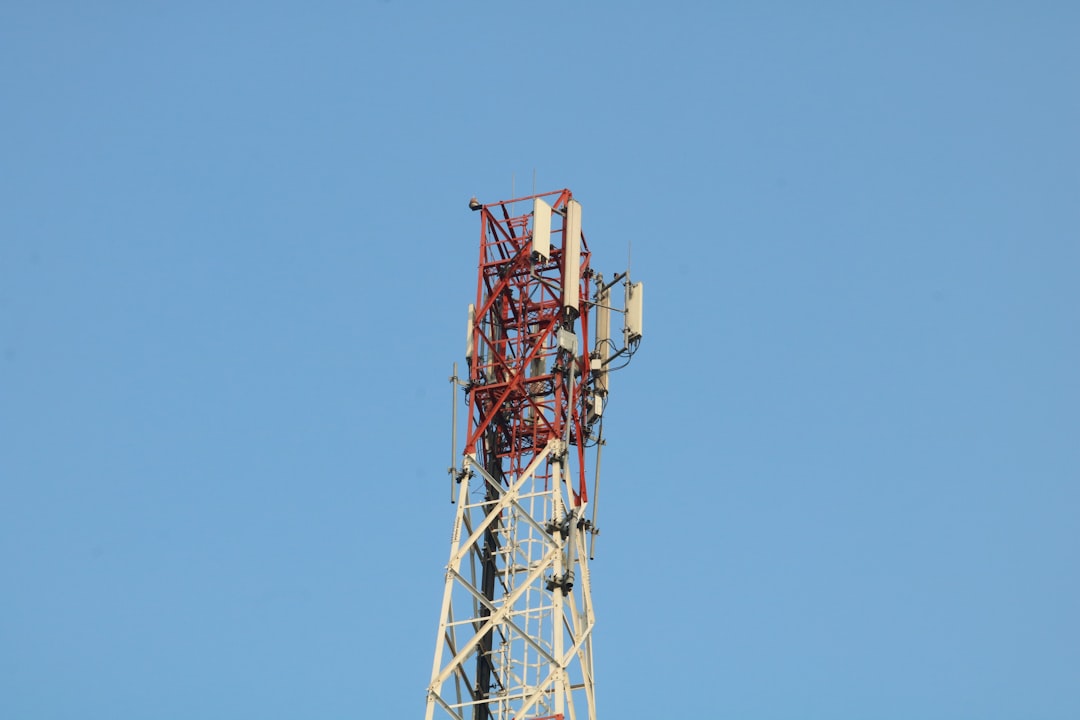
🎯 Making the Most of Your 5G Connection
With 5G successfully enabled and optimized, you’re positioned to experience mobile connectivity as it was meant to be. The combination of blazing speeds, minimal latency, and enhanced reliability transforms how you use your smartphone.
From seamless streaming and lightning-fast downloads to responsive gaming and crystal-clear video calls, 5G unlocks possibilities that seemed futuristic just years ago. As networks expand and technology matures, these benefits will only grow more pronounced.
Regular monitoring of your network settings, staying current with software updates, and understanding your carrier’s 5G offerings ensures you continue extracting maximum value from your 5G-capable device. The mobile future is here—make sure you’re connected to it.
