
Anúncios
Amazon’s Alexa app transforms your smartphone into a powerful control center for one of the world’s most popular voice assistants, bringing smart home management and AI convenience to your fingertips.


Since its introduction, the Alexa app has evolved from a simple setup tool into a comprehensive ecosystem manager. Whether you own an Echo device or want to use Alexa directly on your phone, this application serves as your gateway to voice-controlled convenience, smart home automation, and personalized entertainment.
The beauty of the Alexa app lies in its ability to bridge the gap between traditional smartphone functionality and the emerging world of voice-first computing. It’s not just about asking questions anymore—it’s about creating routines, managing connected devices, shopping, streaming music, and building a truly intelligent living space around your lifestyle.
🎯 What Makes the Alexa App Essential for Modern Living
The Alexa app isn’t merely a companion to Echo devices—it’s a standalone powerhouse that brings Amazon’s AI assistant to any smartphone. With over 100 million downloads on Android alone, this application has become the backbone of countless smart homes worldwide.
What sets it apart is the seamless integration across platforms and devices. From lighting control to security camera feeds, from music streaming to grocery shopping, the app consolidates dozens of functions into one intuitive interface. The learning curve is gentle, yet the depth of features satisfies even the most tech-savvy users.
The app’s design philosophy centers on accessibility. Voice commands work even without an Echo device, turning your smartphone into a portable Alexa. This flexibility means you can control your smart home while traveling, check on security cameras from work, or adjust your thermostat before arriving home.
📱 Setting Up Your Alexa Experience from Scratch
Getting started with the Alexa app takes just minutes, but the initial setup determines how smoothly your experience will unfold. After downloading from the Play Store or App Store, you’ll sign in with your Amazon account—the same one you use for shopping or Prime Video.
The onboarding process guides you through connecting your first device, whether that’s an Echo speaker, Fire TV, or simply enabling Alexa hands-free mode on your phone. The app automatically detects compatible devices on your network, making pairing nearly effortless.
For those building a smart home, the setup wizard walks you through adding lights, locks, thermostats, and other connected devices. The app supports thousands of brands through Skills—Alexa’s equivalent of apps—ranging from Philips Hue to Ring doorbells, from Spotify to Uber.
🔧 Customizing Your Alexa Interface
Personalization transforms the Alexa app from functional to indispensable. The home screen can be customized to display your most-used features, whether that’s music controls, smart home shortcuts, or shopping lists. Widgets on your phone’s home screen provide even quicker access to common commands.
Voice profiles add another layer of personalization. By training Alexa to recognize your voice specifically, you get tailored responses, personalized news briefings, and secure access to your calendar and contacts. Multiple family members can create their own profiles, each with distinct preferences.
🏠 Smart Home Control at Your Command
The Alexa app shines brightest as a smart home hub. The Devices tab organizes everything by room, type, or group, making it simple to control dozens of gadgets without juggling multiple apps. A single tap can adjust multiple lights, lock doors, or activate entire scenes.
Routines elevate automation to an art form. These customizable sequences trigger multiple actions from a single command or schedule. Your “Good Morning” routine might gradually brighten bedroom lights, start the coffee maker, read your calendar, and provide a weather report—all automatically at 6:30 AM.
The visual interface complements voice control beautifully. Some tasks—like browsing camera feeds or adjusting light colors—work better through touch. The app provides live video streams from compatible security cameras and video doorbells, complete with two-way audio communication.

🎨 Creating the Perfect Ambiance
Lighting control through the app goes beyond simple on-off switches. Color-changing bulbs can be adjusted to any hue, brightness, or temperature. Preset scenes match lighting to activities—movie watching, dinner parties, or focused work sessions.
Grouping devices by room or function streamlines control. A “Living Room” group might include lights, TV, and sound system, all controllable with a single command. The app’s visual editor makes creating and modifying groups intuitive, even for those new to smart home technology.
🎵 Entertainment Hub in Your Pocket
Music streaming integration makes the Alexa app a powerful entertainment controller. Connect Spotify, Apple Music, Amazon Music, Pandora, or TuneIn, then browse and play content across all your Echo devices or Bluetooth speakers.
Multi-room audio transforms your home into a concert hall. The app lets you play the same music throughout the house or different tracks in each room. Volume adjustments, song skipping, and playlist browsing happen with simple taps or voice commands.
Podcast and audiobook listeners appreciate the seamless integration with Audible and Amazon’s podcast library. The app remembers your place across devices, so you can start listening on your Echo Dot during breakfast and continue on your phone during your commute.
🛒 Shopping Made Smarter
Amazon’s retail integration brings shopping convenience to new levels. Voice-activated ordering works through the app, with purchase confirmation required for security. Shopping lists sync across all devices, updating in real-time as family members add items.
Product recommendations appear based on your purchase history and browsing behavior. Subscribe & Save items can be managed, deliveries tracked, and returns initiated without leaving the Alexa app. For Prime members, the integration feels particularly seamless.
Barcode scanning adds items directly to your Amazon cart, while voice input handles shopping list updates hands-free while cooking. The app even suggests recipes based on items in your cart, creating a connected culinary experience.
🗣️ Communication Features That Connect
Alexa’s communication tools transform Echo devices into intercom systems and phones. The Drop In feature enables instant connections between rooms or family members’ devices—perfect for checking on elderly relatives or calling kids for dinner.
Regular calling and messaging work with contacts who also have the Alexa app or Echo devices. Voice and video calls flow seamlessly across devices, with the app showing call history and enabling contact management.
Announcements broadcast messages to all Echo devices simultaneously. A parent can announce dinner time from their phone while at the grocery store, with the message playing throughout the house. This feature proves invaluable for busy households.
🧠 Skills That Expand Capabilities
The Skills library resembles an app store for voice commands, offering over 100,000 third-party integrations. These range from meditation guides to trivia games, from pizza ordering to workout coaching. Enabling Skills takes seconds through the app’s browse and search interface.
Popular categories include news sources, smart home brands, food delivery, fitness tracking, and productivity tools. Many services you already use—like Uber, Domino’s, or Capital One—offer Alexa Skills that enable voice control through the app or Echo devices.
Skill recommendations appear based on your usage patterns and enabled devices. The app highlights trending Skills and curates collections around themes like “Working From Home” or “Kids’ Activities,” making discovery easier than browsing thousands of options randomly.
🎮 Entertainment and Education Through Skills
Gaming Skills bring interactive entertainment to voice interfaces. From adventure games to trivia challenges, these experiences work particularly well through the app’s visual interface combined with voice input. Family game night takes on new dimensions with multiplayer Alexa games.
Educational Skills help children and adults learn languages, practice math, explore history, or develop new talents. The app tracks progress and suggests appropriate difficulty levels, creating personalized learning experiences through voice interaction.
🔔 Notifications and Reminders Keep You Organized
The Alexa app excels at keeping life organized through intelligent reminders and notifications. Location-based alerts can remind you to buy milk when you’re near the grocery store, while time-based reminders ensure important tasks don’t slip through the cracks.
Recurring reminders handle weekly or monthly tasks, from trash day to medication schedules. The app syncs these across all devices, so reminders trigger wherever you are. Family members can share lists and receive notifications about collaborative tasks.
Smart device notifications alert you to important events—doors opening, motion detection, smoke alarms, or package deliveries. The app consolidates these alerts into a manageable feed, preventing notification overload while keeping you informed about what matters.
🔒 Privacy Controls and Security Settings
Privacy concerns receive serious attention in the Alexa app. Voice history can be reviewed and deleted individually or in bulk. Privacy settings let you disable voice recordings entirely or prevent them from being used to improve services.
The app provides transparency about data usage, showing which Skills have access to what information. Permissions can be revoked at any time, and activity history displays a complete record of interactions, purchases, and commands.
Secure account features include two-factor authentication, voice purchase confirmation codes, and the ability to remotely sign out all devices. For parents, FreeTime controls limit what children can access and purchase through Alexa.
🌐 Alexa Everywhere: Beyond the App
While the app serves as the primary control interface, Alexa’s reach extends far beyond smartphones. Fire TV integration enables voice control of entertainment systems, while Alexa Auto brings the assistant to your car through compatible vehicles or Echo Auto devices.
Third-party device manufacturers increasingly build Alexa directly into products—headphones, smartwatches, refrigerators, and even microwaves. The app manages all these connections, regardless of manufacturer, creating a unified ecosystem.
Web-based access through alexa.amazon.com mirrors much of the app’s functionality for those who prefer desktop management. Changes sync instantly across platforms, ensuring consistency whether you’re on phone, tablet, or computer.
💡 Tips for Maximizing Your Alexa App Experience
Power users develop strategies that multiply the app’s value. Explore the Things to Try section regularly—it highlights new features and lesser-known commands that might transform your usage. Many powerful functions remain hidden until you discover them.
Customize your Flash Briefing to receive news from preferred sources in your preferred order. This daily summary becomes more valuable as you refine which podcasts, news outlets, and information sources appear first.
Take advantage of Alexa’s growing visual capabilities through the app. Recipe instructions with step-by-step photos, weather radar maps, and video search results provide richer information than voice alone.
🎯 Advanced Automation Techniques
Combine routines with smart home sensors for truly intelligent automation. Motion sensors can trigger lights only when someone’s home, temperature sensors can adjust climate control preemptively, and contact sensors can secure doors automatically at bedtime.
Use Alexa Guard to monitor your home for suspicious sounds—glass breaking, smoke alarms—when you’re away. The app sends alerts and can automatically connect to security services, adding a layer of protection without monthly fees.
🚀 Future Developments and Emerging Features
Amazon continuously enhances the Alexa app with new capabilities. Recent additions include improved natural language processing that understands context better and multi-step commands that eliminate repetitive instructions.
Visual ID is rolling out to more devices, using camera recognition to personalize responses based on who’s in the room. The app manages these profiles and privacy settings, giving users control over this advanced feature.
Integration with Matter—the new smart home standard—promises even broader device compatibility. The Alexa app will serve as a universal controller for Matter-certified devices from any manufacturer, simplifying smart home setup considerably.
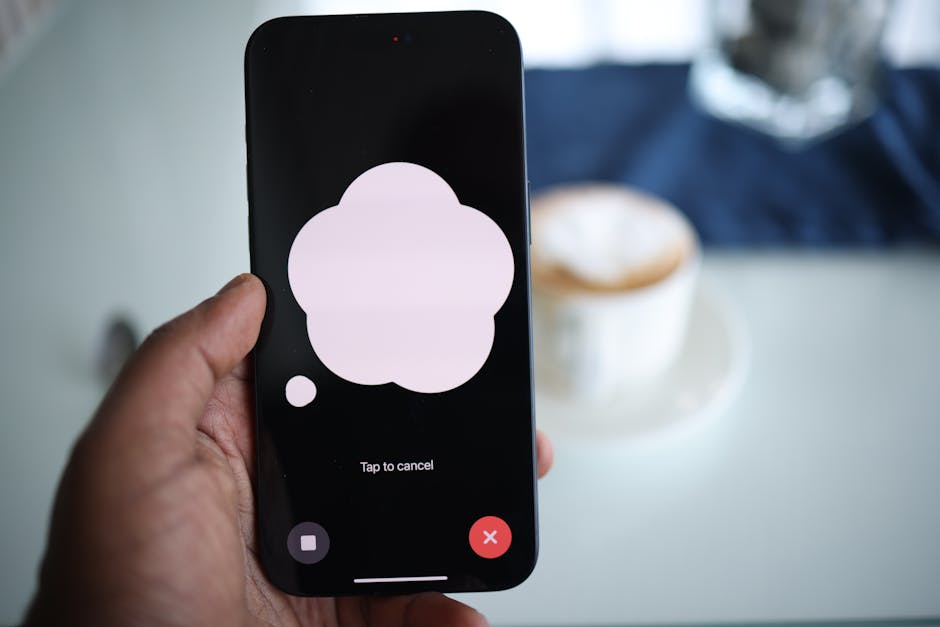
🌟 Why the Alexa App Deserves a Place on Your Phone
The Alexa app represents more than voice assistant access—it’s a comprehensive platform for modern connected living. Whether you own multiple Echo devices or none at all, the app delivers genuine utility through smart home control, entertainment management, and daily organization.
Its strength lies in consolidation. Rather than juggling separate apps for lights, locks, music, shopping, and communication, Alexa centralizes these functions while adding voice control convenience. The learning curve rewards exploration, revealing deeper capabilities as you become more familiar.
For those building smart homes, the Alexa app provides the most versatile foundation available today. Its compatibility with thousands of devices, continuous feature additions, and integration with Amazon’s broader ecosystem create a future-proof platform that grows more capable over time.
Download the app, explore its features gradually, and watch how it transforms scattered digital tasks into a cohesive, voice-enabled experience. The convenience becomes apparent quickly, but the full potential reveals itself through daily use and experimentation.
