
Anúncios
Ready to experience lightning-fast internet speeds? Unlocking 5G on your smartphone might be easier than you think, transforming your mobile experience instantly.


The rollout of 5G technology has revolutionized mobile connectivity worldwide, offering unprecedented download speeds, minimal latency, and enhanced network capacity. However, many smartphone users aren’t taking full advantage of this cutting-edge technology simply because they haven’t properly configured their devices.
Whether you’re streaming high-definition content, engaging in competitive mobile gaming, or simply browsing social media, activating 5G connectivity can dramatically improve your overall mobile experience. Let’s explore the comprehensive steps to unlock this powerful feature on your device.
🔍 Understanding 5G Technology and Its Benefits
Before diving into the activation process, it’s essential to understand what makes 5G such a game-changer in mobile telecommunications. The fifth generation of wireless technology offers speeds up to 100 times faster than 4G LTE, with download rates potentially reaching 10 Gbps under optimal conditions.
The benefits extend far beyond just faster downloads. 5G networks provide significantly reduced latency—often as low as 1 millisecond—which is crucial for real-time applications like video conferencing, cloud gaming, and augmented reality experiences. The technology also supports a vastly higher number of connected devices per square kilometer, making it ideal for increasingly connected urban environments.
Network congestion becomes less of an issue with 5G, as the technology efficiently manages bandwidth across multiple users. This means consistent performance even in crowded areas like stadiums, concerts, or busy downtown districts where traditional networks often struggle.
📱 Checking If Your Phone Supports 5G
Not all smartphones are created equal when it comes to 5G compatibility. The first step in your journey to faster connectivity is confirming whether your device actually supports this advanced network standard.
Most flagship smartphones released after 2020 include 5G capabilities, but mid-range and budget devices may vary. To check your phone’s specifications, navigate to your device settings and look for network or about phone sections. Manufacturers typically list supported network types in these menus.
Alternatively, you can search for your specific phone model online followed by “5G compatibility” to find detailed specifications. Major brands like Samsung, Apple, Google, OnePlus, and Xiaomi have extensive 5G lineups, with newer models supporting multiple 5G frequency bands for broader coverage.
Hardware Requirements for 5G Connectivity
Your smartphone needs specific hardware components to access 5G networks, primarily a 5G-compatible modem and antenna array. Devices with Qualcomm Snapdragon X55 or newer modems, or Apple’s custom 5G chips in iPhone 12 and later models, can connect to 5G networks.
Additionally, check whether your device supports sub-6GHz, mmWave, or both types of 5G. Sub-6GHz offers broader coverage with moderate speed improvements, while mmWave delivers ultra-fast speeds over shorter distances. Most international models focus on sub-6GHz, whereas some US variants include mmWave support.
🌐 Verifying 5G Network Coverage in Your Area
Having a 5G-capable phone means nothing if your carrier hasn’t deployed 5G infrastructure in your location. Network coverage varies significantly by region, carrier, and even specific neighborhoods within cities.
Major carriers provide online coverage maps showing exactly where their 5G networks are available. Visit your carrier’s website and enter your address or zip code to see real-time coverage data. These maps typically distinguish between different types of 5G deployment, showing areas with ultra-fast mmWave versus more widespread sub-6GHz coverage.
Keep in mind that 5G coverage is constantly expanding. Even if your area doesn’t have coverage today, regular checks might reveal new deployment in coming months. Urban centers and suburban areas generally receive priority in rollout schedules, with rural regions following gradually.
⚙️ Activating 5G on iPhone Devices
Apple has integrated 5G functionality across its iPhone lineup starting with the iPhone 12 series. The activation process is straightforward but offers multiple configuration options to balance speed and battery life.
To enable 5G on your iPhone, open the Settings app and navigate to Cellular, then select Cellular Data Options. Here you’ll find Voice & Data settings with three distinct options: 5G On, 5G Auto, and LTE.
The “5G On” option maintains a constant 5G connection whenever available, providing maximum speeds but potentially consuming more battery power. “5G Auto” represents Apple’s smart mode, which automatically switches between 5G and LTE based on your current activity, preserving battery when ultra-fast speeds aren’t necessary. This balanced approach works well for most users.
Optimizing 5G Settings for Best Performance
Within the same menu, you’ll also find a Data Mode option offering three settings: Allow More Data on 5G, Standard, and Low Data Mode. The first option enables higher-quality video streaming and FaceTime calls when connected to 5G, though it increases data consumption.
If you’re experiencing connectivity issues, toggle Airplane Mode on and off to force your iPhone to search for available networks fresh. This simple reset often resolves temporary connection problems and ensures your device locks onto the strongest available signal.

🤖 Enabling 5G on Android Smartphones
Android devices offer slightly more variation in the 5G activation process due to different manufacturer interfaces and customizations. However, the general approach remains consistent across most brands.
Start by opening your Settings app and locating the Connections or Network & Internet section. The exact naming depends on your device manufacturer—Samsung uses “Connections,” while Google Pixels and stock Android devices typically show “Network & Internet.”
Tap on Mobile Networks or Cellular Networks, then look for Network Mode or Preferred Network Type. Here you should see options including 5G/4G/3G/2G (Auto), 4G/3G/2G (Auto), or similar variations. Select the option that includes 5G to enable connectivity.
Brand-Specific Activation Instructions
Samsung Galaxy users should navigate to Settings > Connections > Mobile Networks > Network Mode, then select 5G/LTE/3G/2G (Auto). Some Samsung models also offer a dedicated 5G toggle switch directly in the Quick Settings panel for convenient access.
OnePlus devices follow a similar path: Settings > Wi-Fi & Network > SIM & Network > Select your SIM > Preferred Network Type > Select 5G. Google Pixel phones streamline the process with Settings > Network & Internet > SIMs > Preferred Network Type > 5G.
For Xiaomi and Redmi devices running MIUI, the path is Settings > SIM Cards & Mobile Networks > Select your SIM > Preferred Network Type > 5G. Always restart your device after making these changes to ensure the new settings take effect properly.
🔧 Troubleshooting Common 5G Connection Issues
Even after enabling 5G in your phone’s settings, you might encounter connectivity problems. Understanding common issues and their solutions can save considerable frustration.
If your phone isn’t connecting to 5G despite being in a coverage area with a compatible device, first verify that your carrier plan actually includes 5G access. Some legacy plans or budget-tier subscriptions may not include 5G connectivity even if the infrastructure exists.
Contact your carrier to confirm your plan details and inquire about any necessary upgrades. Many carriers now include 5G at no additional cost, but this isn’t universal. Some providers require specific plan tiers or charge premium rates for 5G access.
SIM Card Compatibility and Updates
Older SIM cards may not support 5G connectivity even in capable devices. Carriers often require newer SIM cards with updated provisioning to access 5G networks. If your SIM card is more than three years old, visit a carrier store or request a replacement through customer service.
The replacement process is typically free and takes just minutes. The new SIM card will maintain your existing phone number and plan while enabling access to advanced network features including 5G, VoLTE, and Wi-Fi calling.
Software Updates and Carrier Settings
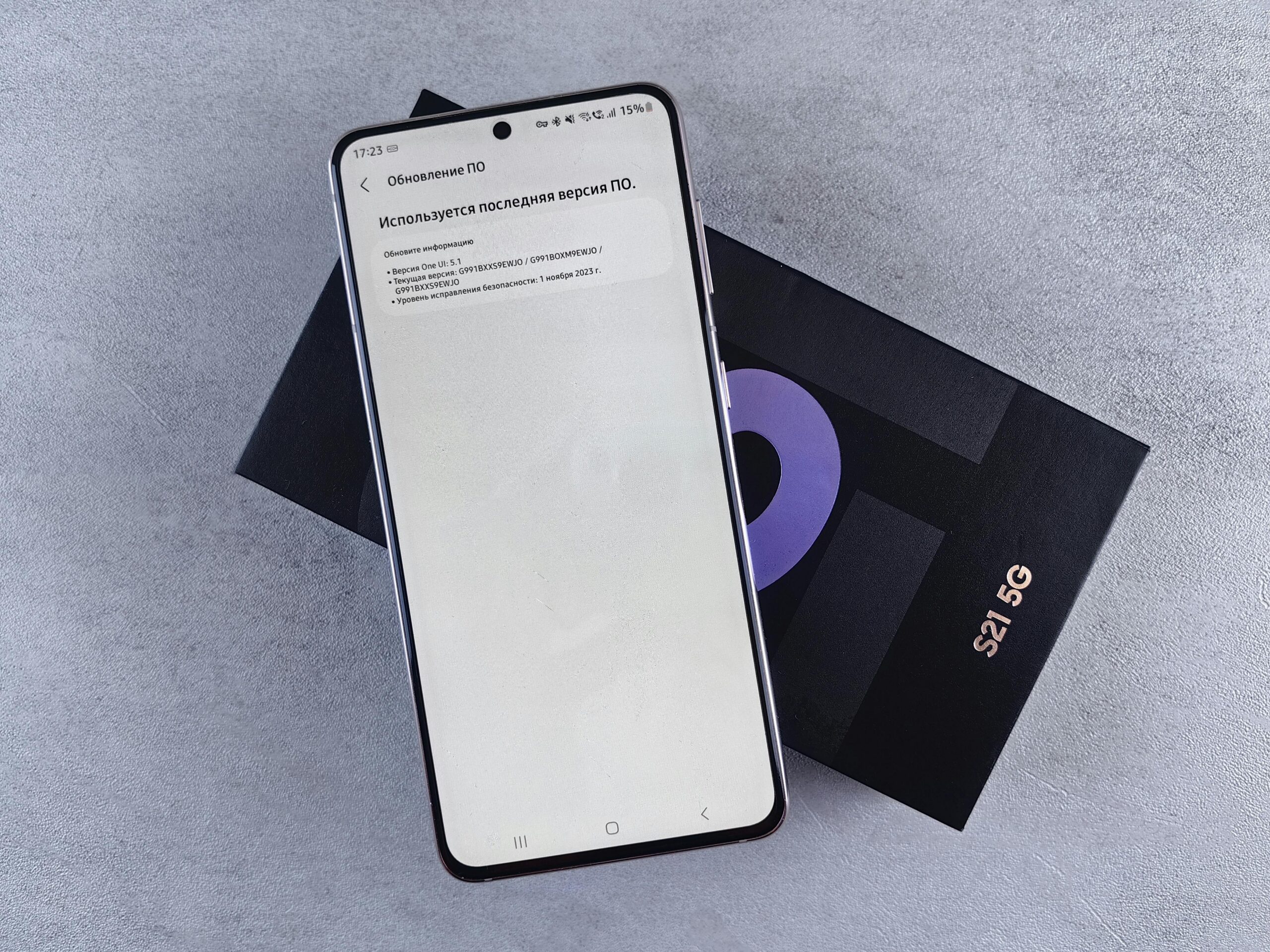
Outdated device software can prevent proper 5G connectivity. Manufacturers regularly release updates that improve network compatibility and fix connectivity bugs. Check for system updates in your Settings app under Software Update or System Updates.
Carrier settings updates are equally important but often overlooked. These small files contain network-specific configurations that optimize your phone’s performance with your carrier’s infrastructure. On iPhone, these updates install automatically when connected to Wi-Fi. Android users may need to check manually within their network settings.
📊 Testing Your 5G Connection Speed
Once you’ve successfully activated 5G, you’ll naturally want to verify that you’re actually experiencing the promised speed improvements. Several reliable methods exist for testing your connection performance.
Speed test applications provide the most comprehensive analysis of your network performance, measuring download speeds, upload speeds, latency, and connection stability. Popular options include Speedtest by Ookla, FAST Speed Test by Netflix, and specialized 5G testing apps designed specifically for next-generation networks.
When conducting speed tests, run multiple tests at different times of day to get accurate averages. Network performance can vary based on time, location, and overall network congestion. Morning tests might show different results than evening measurements when more users are active.
Interpreting Speed Test Results
Typical 5G speeds range from 100 Mbps to 1 Gbps depending on your specific location and network type. Sub-6GHz 5G typically delivers speeds between 100-400 Mbps—still vastly faster than 4G LTE. mmWave 5G can reach speeds exceeding 1 Gbps under ideal conditions, though coverage areas remain limited.
Latency measurements are equally important for real-world performance. Look for ping times under 30 milliseconds on 5G networks, with mmWave connections often achieving single-digit latency. These low latency figures make a noticeable difference in interactive applications like video calls and online gaming.
🔋 Managing Battery Life with 5G Enabled
One legitimate concern about 5G connectivity involves battery consumption. Early 5G implementations were notoriously power-hungry, significantly reducing daily battery life. However, recent improvements in both network infrastructure and device efficiency have substantially mitigated these issues.
Modern smartphones include intelligent power management features that balance connectivity and battery preservation. These systems monitor your usage patterns and network conditions, automatically switching between 5G and 4G LTE when ultra-fast speeds aren’t necessary.
If you notice significant battery drain after enabling 5G, consider using your phone’s adaptive or automatic 5G mode rather than forcing constant 5G connectivity. These smart modes provide excellent performance while maintaining reasonable battery life throughout your day.
Practical Tips for Battery Optimization
Disable 5G when you don’t need maximum speeds, such as during light browsing or when your phone is sitting idle. Use Wi-Fi whenever available, as it consumes less power than cellular connections while often providing comparable speeds. Enable battery saver modes during extended periods away from chargers.
Keep your device software updated, as manufacturers continually refine power management algorithms. Recent updates have dramatically improved 5G power efficiency across virtually all compatible devices. Consider carrying a portable battery pack if you’re a heavy user who demands constant 5G connectivity throughout long days.
🌍 International 5G Roaming Considerations
Traveling internationally with a 5G phone introduces additional complexity. Different countries deploy 5G on varying frequency bands, and not all devices support the full spectrum of international 5G frequencies.
Before traveling, research 5G availability in your destination country and verify that your device supports the specific frequency bands used there. Your carrier’s international roaming plan must also include 5G access, as some roaming agreements still limit customers to 4G LTE speeds abroad.
International 5G roaming typically costs more than domestic usage. Review your carrier’s international rates and consider purchasing local SIM cards in countries where you’ll spend extended time. Many countries offer affordable prepaid plans with generous 5G data allowances for visitors.
🔐 Security and Privacy on 5G Networks
While 5G networks incorporate enhanced security features compared to previous generations, users should still practice good security hygiene. The technology includes improved encryption and authentication protocols, but individual device security remains your responsibility.
Always use VPN services when accessing sensitive information over cellular networks, including 5G. Enable automatic system updates to ensure your device receives the latest security patches. Avoid connecting to suspicious Wi-Fi networks even when 5G is available, as some threats target the Wi-Fi connection layer rather than cellular technology.
Be mindful of the data you transmit over any network. While 5G’s technical architecture is more secure than 4G, no network offers absolute protection. Use encrypted messaging apps, enable two-factor authentication on important accounts, and maintain healthy skepticism about suspicious links or requests received via text message.
💡 Maximizing Your 5G Experience
With 5G activated and functioning properly, you can explore new possibilities that previous network generations couldn’t support adequately. Cloud gaming services like Xbox Cloud Gaming, GeForce Now, and PlayStation Remote Play become genuinely viable on mobile devices with 5G’s combination of high speeds and low latency.
Streaming ultra-high-definition 4K video on mobile devices becomes practical rather than theoretical. Services like YouTube, Netflix, and Disney+ offer stunning visual quality that 5G networks can deliver without constant buffering or quality degradation.
Video conferencing applications perform exceptionally well on 5G, with minimal lag and high-quality audio and video. Remote work becomes more feasible from virtually anywhere within network coverage, providing unprecedented flexibility for digital nomads and remote professionals.
Emerging Applications and Future Possibilities
Augmented reality applications leverage 5G’s capabilities for real-time processing and rendering. Try AR navigation apps, interactive shopping experiences, or creative tools that overlay digital content onto your physical environment with remarkable responsiveness.
The Internet of Things ecosystem expands significantly with 5G’s ability to support massive device connectivity. Smart home systems, wearables, and connected vehicles all benefit from the improved network infrastructure, creating seamless digital experiences across your connected devices.
🎯 Making the Most of Your Unlimited 5G Potential
Unlocking 5G on your smartphone opens doors to enhanced productivity, entertainment, and connectivity possibilities. The technology represents a fundamental shift in how we interact with mobile networks, moving beyond simple speed improvements to enable entirely new categories of applications and services.
Remember that 5G technology continues evolving rapidly. Network coverage expands monthly, device capabilities improve with each generation, and new applications emerge regularly. Stay informed about developments in your area, keep your device updated, and don’t hesitate to experiment with new services that leverage 5G’s unique characteristics.
The future of mobile connectivity is already here—make sure you’re taking full advantage of everything 5G technology offers. Whether you’re streaming your favorite content, collaborating with colleagues worldwide, or simply browsing more efficiently, proper 5G activation ensures you’re experiencing mobile connectivity at its absolute best.
Take the time today to verify your settings, confirm your coverage, and unleash the full potential of your 5G-capable smartphone. The difference in your daily mobile experience will be immediately noticeable and genuinely transformative. 🚀
